Wacho: a road-safety app and 24/7 Command Center, built end to end with Claude AI
I took Wacho from an idea to a working Android app, a live Command Center and a cloud backend, in closed testing on Google Play. I owned the product, the design and every decision; Claude AI was my engineering partner for code, tests, reviews and launch steps.
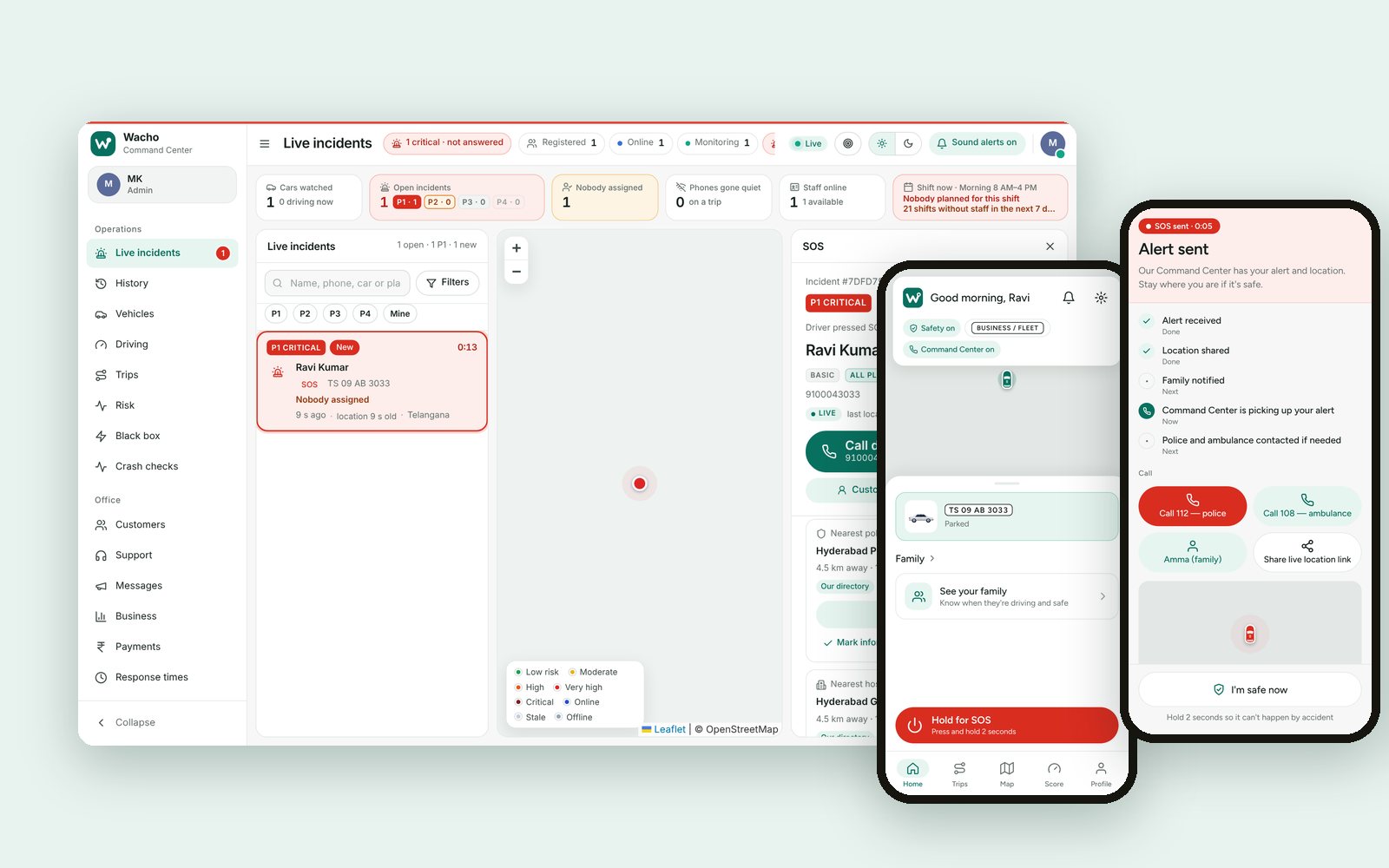
Help reaches a driver even when they can't ask for it
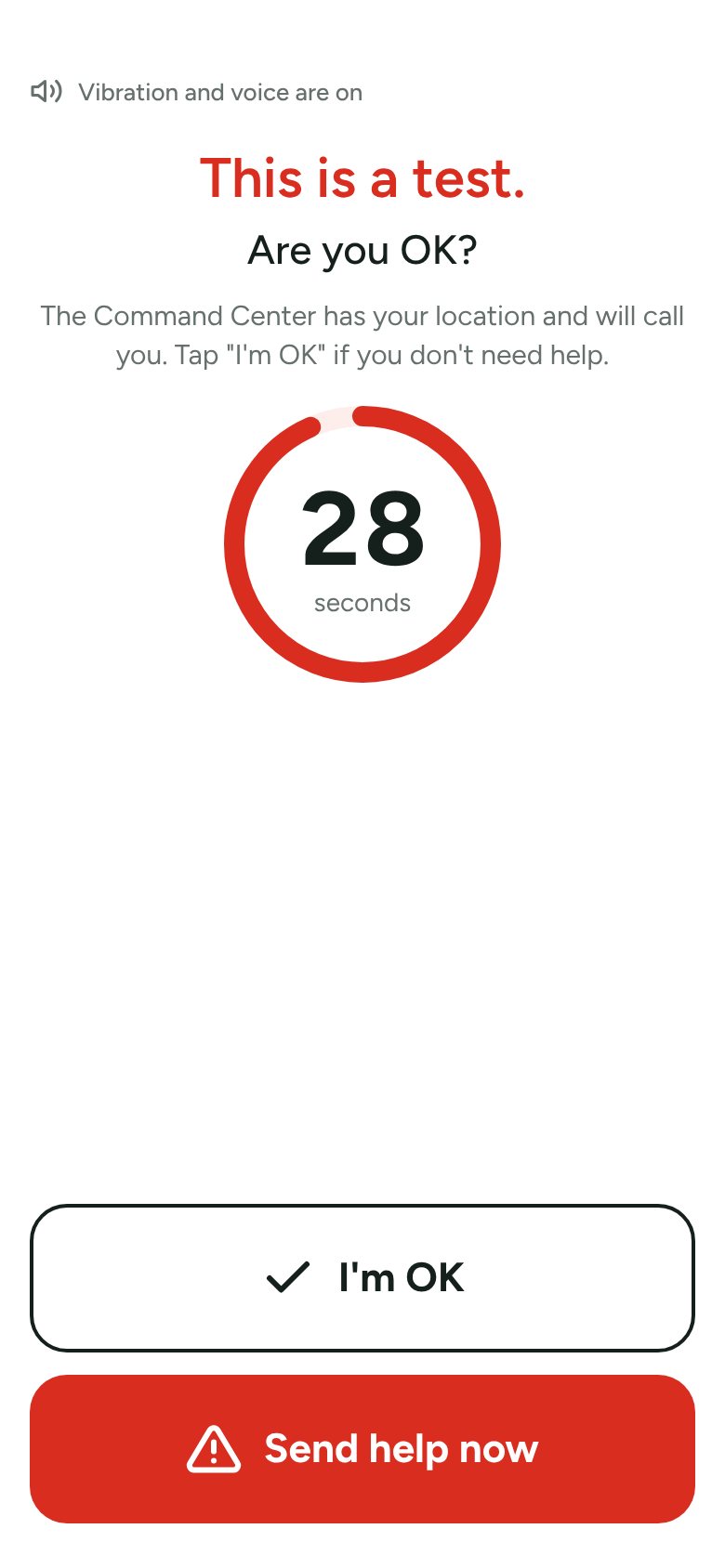
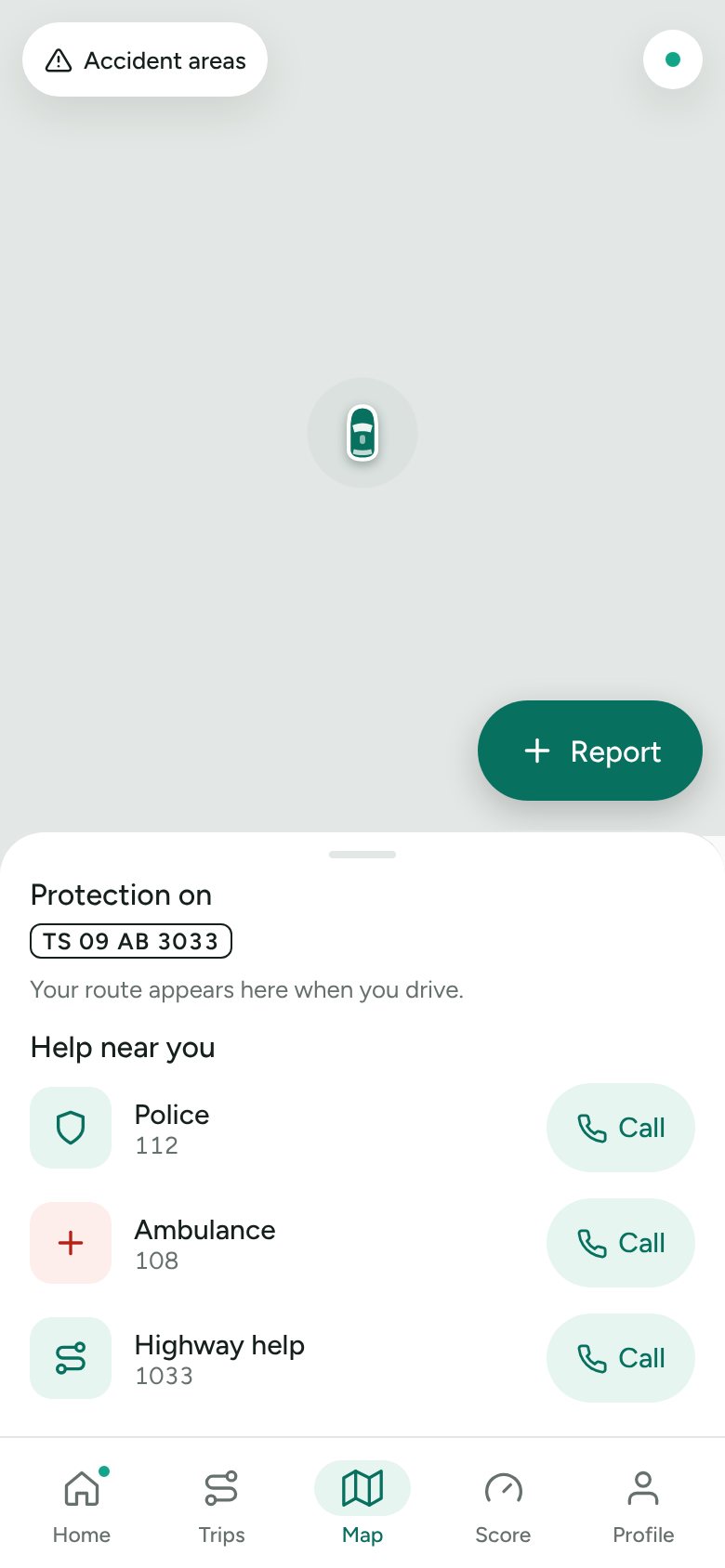
Wacho watches the car while you drive. If the phone senses a possible crash, it asks "Are you OK?" and counts down 30 seconds. No answer, or a 2-second press on the SOS button, sends the live location to family and to a 24/7 Command Center. Operators there call the driver and, when needed, the nearest police station, hospital and ambulance.
The service starts in Andhra Pradesh and Telangana. So the product had to work in local languages, on mid-range Android phones, with patchy mobile data and a locked screen.
One designer, one AI partner, a tight loop
I didn't hand Claude a spec and wait. I ran the project the way I run a product team: I set the goal for each release, decided the trade-offs, and reviewed every screen. Claude wrote the code, tests and documents, and walked me through the console steps I had to do myself.
- Define. I described each need in plain words. Claude turned it into a short spec, flagged gaps and risks, and saved the decision to a Claude Project, so every new session started with full context (50+ decision and release notes).
- Design. Claude produced screen options on a design canvas: brand marks, colour systems, light and calm variants. I picked, pushed back and refined until it felt right.
- Build. Claude wrote the app, the Command Center and the API across three code repositories, release by release, in small, testable steps.
- Test. Every release came with an automated test script, real screenshots from a browser, and a separate AI review pass that looked for bugs before I approved it.
- Field test. I drove with the app. Claude read the trip data, found what broke (a route gap after losing signal, a false "Are you OK?" after a normal stop) and fixed it in the next build.
- Ship. Claude guided me click by click through Google Cloud, Play Console, payment and SMS setup, and handled the browser work where I allowed it.
Calm by default, loud only in an emergency
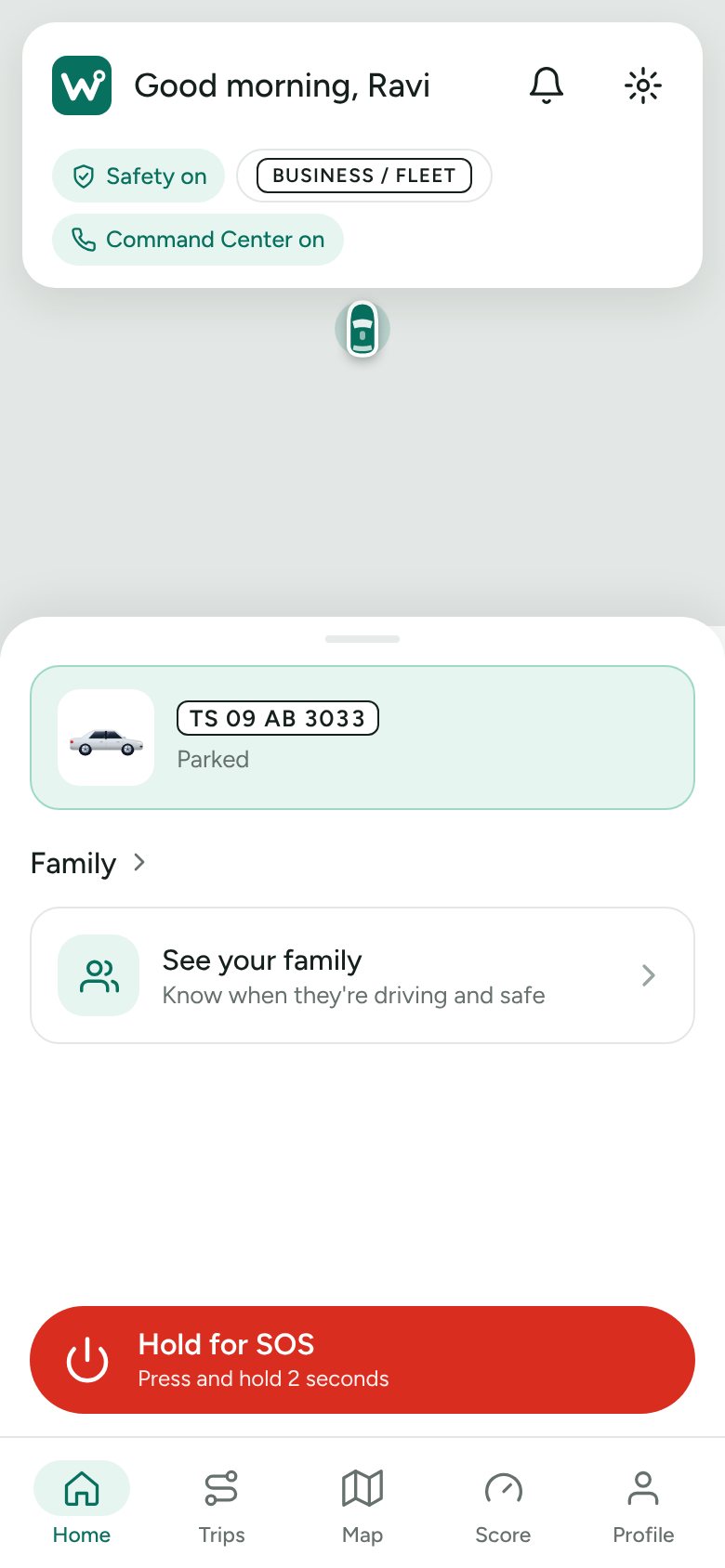
Most of the time the app should be invisible. The home screen shows one thing that matters: protection is on and the car is being watched. Red is kept for the moments that need it.
- Crash detection from phone sensors and GPS, with a 30-second "Are you OK?" countdown that rings even on a locked screen.
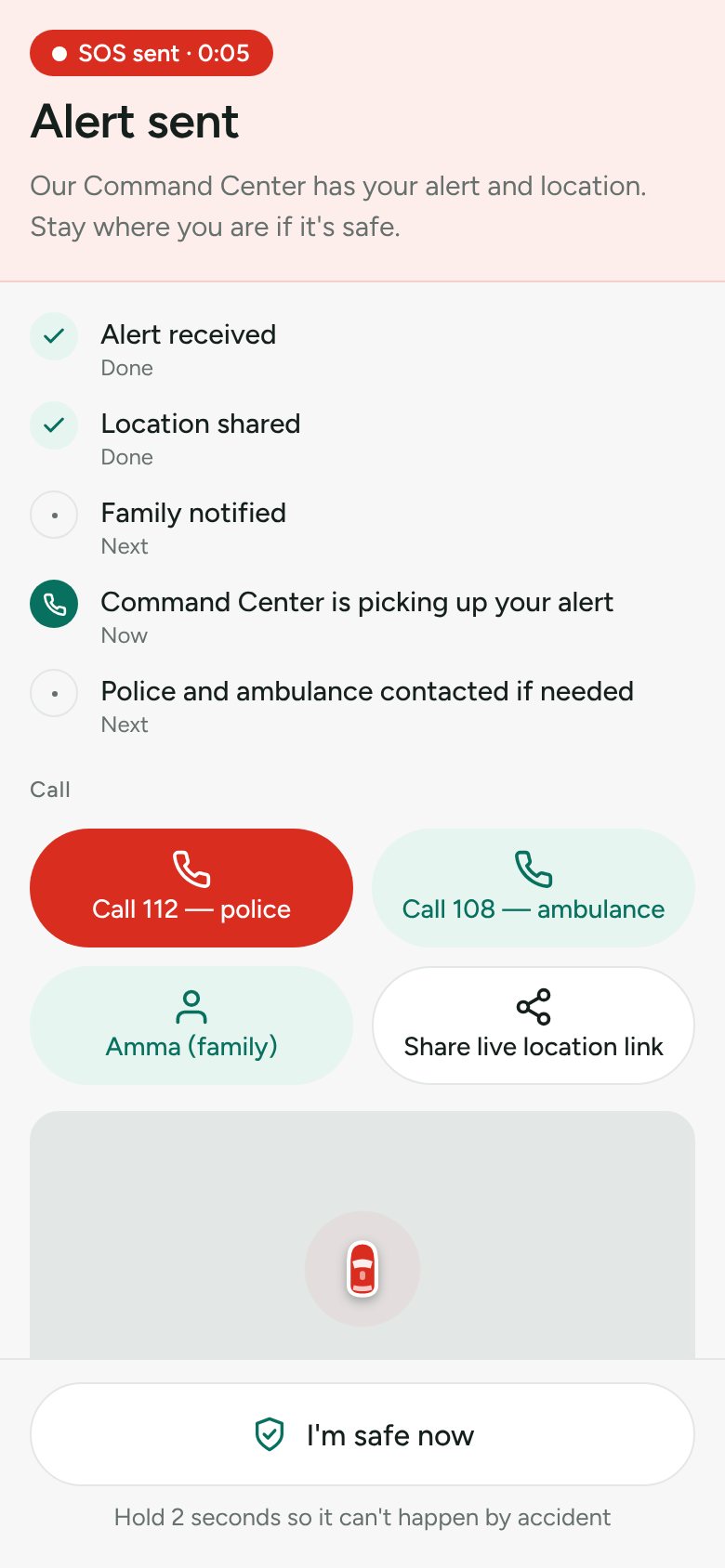
- Hold for SOS for 2 seconds, so a pocket tap never sends an alert. "I'm safe now" needs the same hold.
- A clear alert timeline: alert received, location shared, family notified, Command Center picking up.
- Family alerts by app, SMS and WhatsApp, trip history that works offline, two-wheeler mode and a Bluetooth SOS button.
- English, Telugu, Hindi, Tamil, Kannada, Marathi and Bengali, with spoken prompts.
Built for an operator in the first 60 seconds
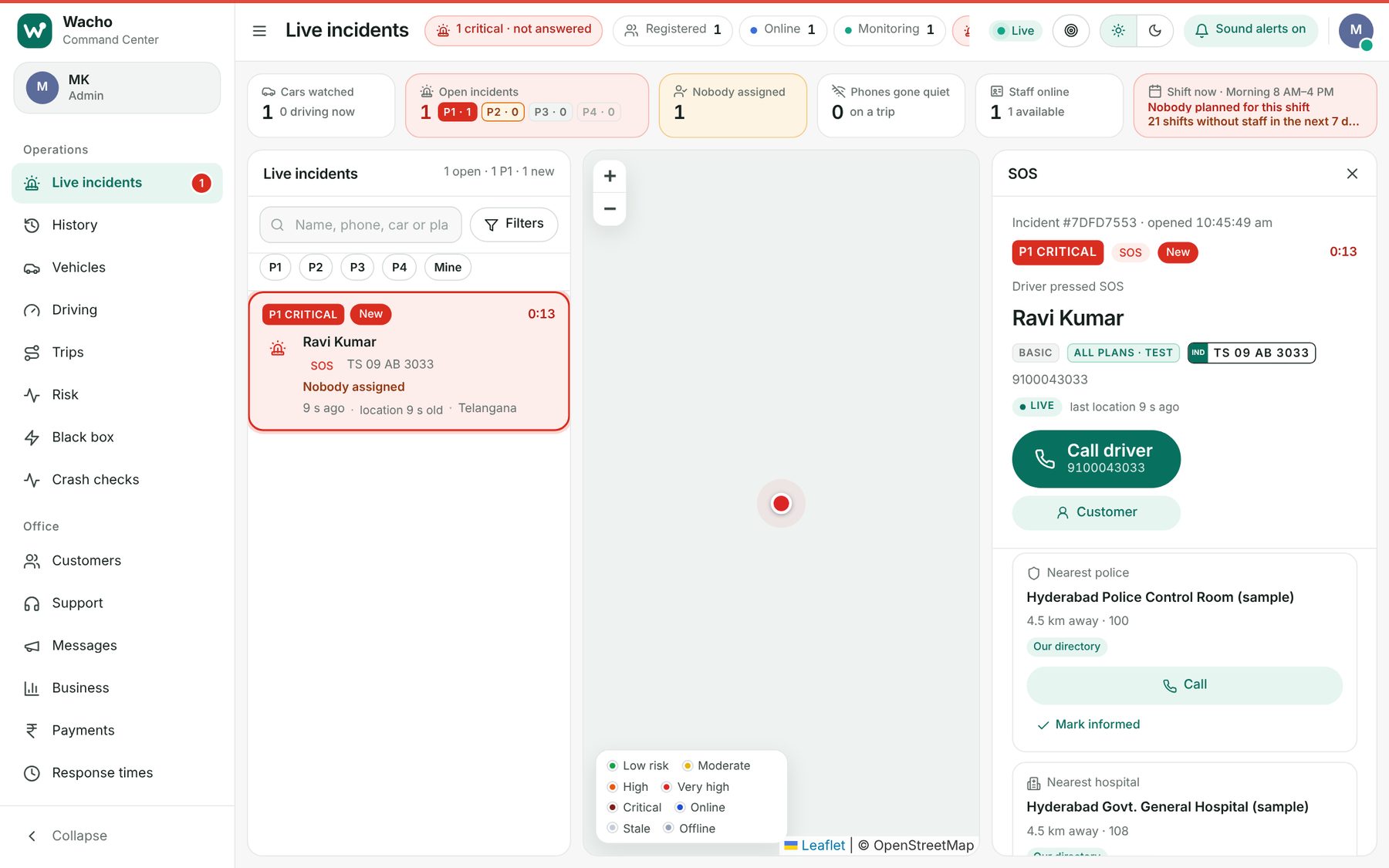
When an alert arrives, the operator needs who, where and what to do next, without hunting. The live incidents screen puts the queue, the map and the incident on one view.
- Incidents ranked P1 to P4, with a timer and a "nobody assigned" warning until someone takes it.
- One click to call the driver, then the nearest police station and hospital from our own directory.
- Staff shifts, response times, customers, plans and payments in the same tool.
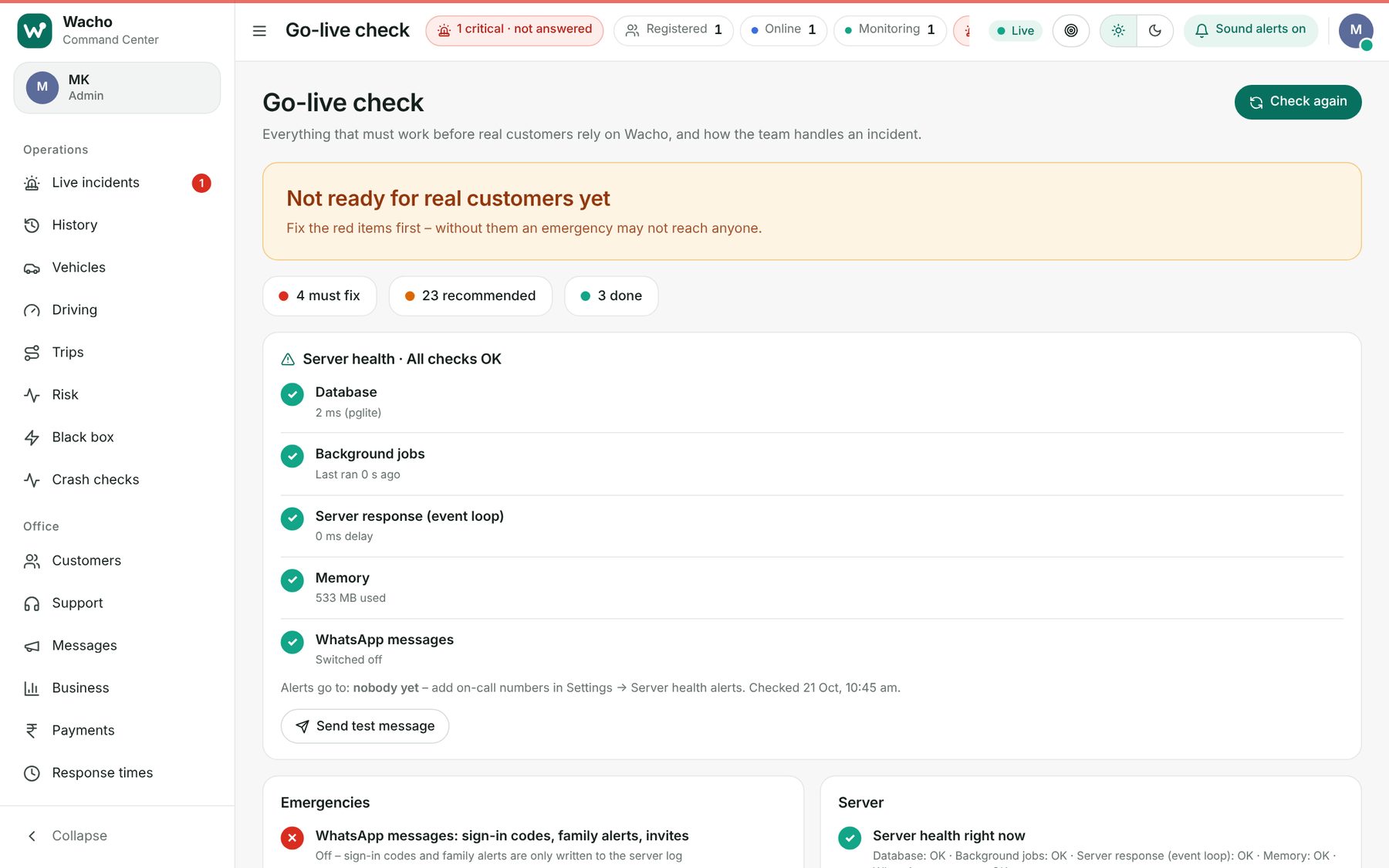
- A Go-live check and server health alerts, so the team knows when something would stop an emergency reaching them.
- Crash checks: operators review possible crashes, which helped tune false alarms before alerts go to families.
Safety first, then features
- Honest promises. When a plan doesn't include the Command Center, the app says so and shows 112 and 108. A safety product can't imply help that isn't coming.
- Fewer false alarms. New crash rules first ran in a silent "shadow" mode, logging what would have fired. We only switched them on once real drives looked right.
- Accidental taps can't trigger anything serious. Hold-to-confirm on SOS and on "I'm safe now".
- Consent up front. Clear agreements for tracking and emergency sharing, written for India's data protection law.
- A brand people can say. Drive Safe became Wacho, with a simple mark and a light, friendly look inside the app.
What it runs on
Where it stands, and what I learned
Wacho is in closed testing on Google Play, with the Command Center and API running on Google Cloud. It has been field-tested on real drives, not yet at scale, and the next step is a wider beta with real families.
- AI moves fast, so the product owner has to be sharper. My job became deciding what not to build and checking every screen against the person in a crisis.
- Writing decisions down was the multiplier. Saved project notes let a new session pick up exactly where the last one stopped.
- Real roads beat simulations. The worst bugs only appeared when I drove.